From Contracts to Meeting Minutes: How to Use 6 Types of HanAddons

Hancom Office Hangul is used to create various documents such as contracts, theses, meeting minutes, and reports. When working on documents in Hancom Word, specialized tasks are often required depending on the document’s purpose. Contracts require drafting and review, while theses require data searching and citation. There are also times when you need to organize meeting content, proofread sentences, or check for plagiarism.
HanAddons is a feature expansion platform designed to add necessary functions for these specialized tasks to Hancom Office. You can configure a work environment that suits you by adding features such as contract drafting and review, academic research, meeting minutes creation, document proofreading, and AI/plagiarism checks.
Currently, HanAddons offers six add-ons, including Alliebi for contract drafting and review, Tlooto AI for academic research, and Asset Studio for using images and emojis. In this article, we have summarized the add-ons available for each task, their key features, installation methods, and things to check before use.
Explore services available in HanAddons

What is Hancom HanAddons?
Hancom Office HanAddons is a platform that connects the core technology of Hancom Word with various verified services, transforming Hancom Office into a functional ecosystem that can be continuously expanded as needed. It is convenient because it reduces the hassle of switching between different programs or services, allowing you to select and add only the features you need to Hancom Word, your main document tool.
Are you wondering how to create a work environment perfectly suited for you with HanAddons?
By selecting and adding the features you need, you can utilize Hancom Office to fit your specific tasks. Check the table below to see which features are necessary for your work.
[Table] Key Features and Use Cases for 6 Types of HanAddons
| When this task is needed | Recommended Add-on | Core Features |
| When you want to add images or icons to a report | Asset Studio | Search and insert emojis, icons, and images |
| When drafting a contract or reviewing clauses | Alliebi | Contract drafting and clause review |
| When searching for academic materials and organizing citations for theses or reports | Tlooto | Academic resource search, summarization, and citation management |
| When converting meeting or interview recordings to text and organizing minutes | Daglo | Transcription, AI summarization, and minutes generation |
| When checking for plagiarism or AI generation before submitting a thesis, assignment, or report | CopyKiller | Plagiarism and AI generation detection |
| When you need to refine expressions or proofread/edit written sentences | EditUp | Context-aware proofreading and editing |
Insert Images, Icons, and Emojis into Hancom Word: Asset Studio
Asset Studio is a free beta add-on created directly by Hancom. You can search for emojis, icons, and images within Hancom Word and insert them directly into your document. Emojis and icons can be used immediately without separate registration, while Pixabay photos and illustrations can be searched after registering your own Pixabay API key in the image tab. The registration steps are detailed in the Hancom Asset Studio Help.
When you need photos for a report or icons for a notice, you can reduce the process of finding images on other sites and bringing them back to the document. Icons allow for adjustments in color and thickness and can be matched to the document’s text color, making them easy to use in harmony with the document’s atmosphere.
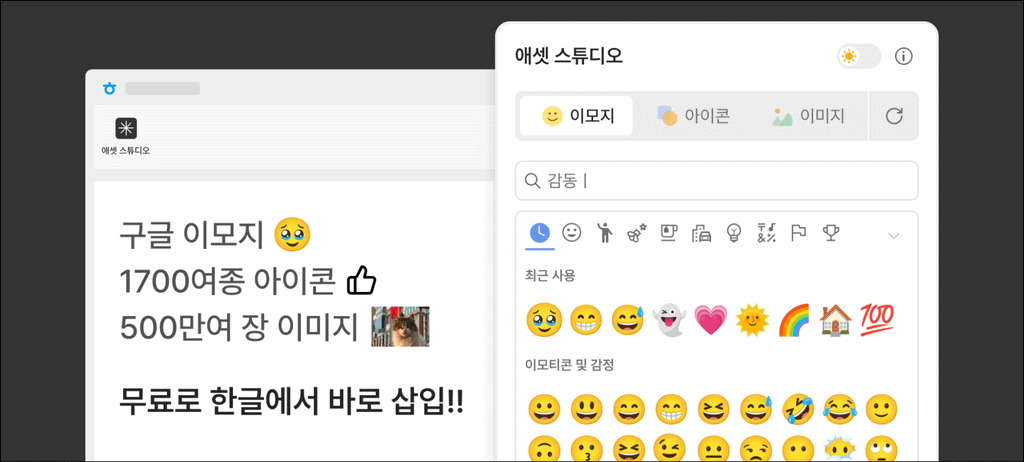
Asset Studio introduction image (Source: HanAddons)
Draft and Review Contracts in Hancom Word: Alliebi
Alliebi is a contract drafting and review AI add-on developed by the legal AI company BHSN. By entering contract terms, it can generate a draft and summarize the core content of long contracts. It also identifies risk factors, grounds, and suggested revisions for each clause, making it useful for practitioners who handle contract work directly or for those without a dedicated legal team.
By using Alliebi within HanAddons, you can proceed from drafting to summarizing and reviewing contracts seamlessly in Hancom Word without moving to a separate solution or re-uploading documents. Additionally, contract drafts can be generated in HWP or HWPX formats.
Alliebi add-on information image (Source: HanAddons)
From Academic Research to Data Analysis and Thesis Writing: Tlooto
Tlooto AI is an AI add-on specialized for academic research. Based on over 400 million academic resources and web searches, it finds prior research and supporting evidence, and can analyze data according to the researcher’s methodology to organize it into figures and tables. It supports various research tasks needed for writing theses and research reports, such as strengthening the evidence for a paragraph under development or refining research topics and questions.
Using Tlooto in HanAddons allows you to search for academic materials within Hancom Word and transfer necessary answers, citations, and formulas to the document. You can choose citation formats among ISO 690, APA, and MLA, and sources used in the document are automatically saved in Tlooto for later reference when organizing the bibliography. This allows prior research reviews and data analysis results to be directly reflected in the writing of theses and research reports.
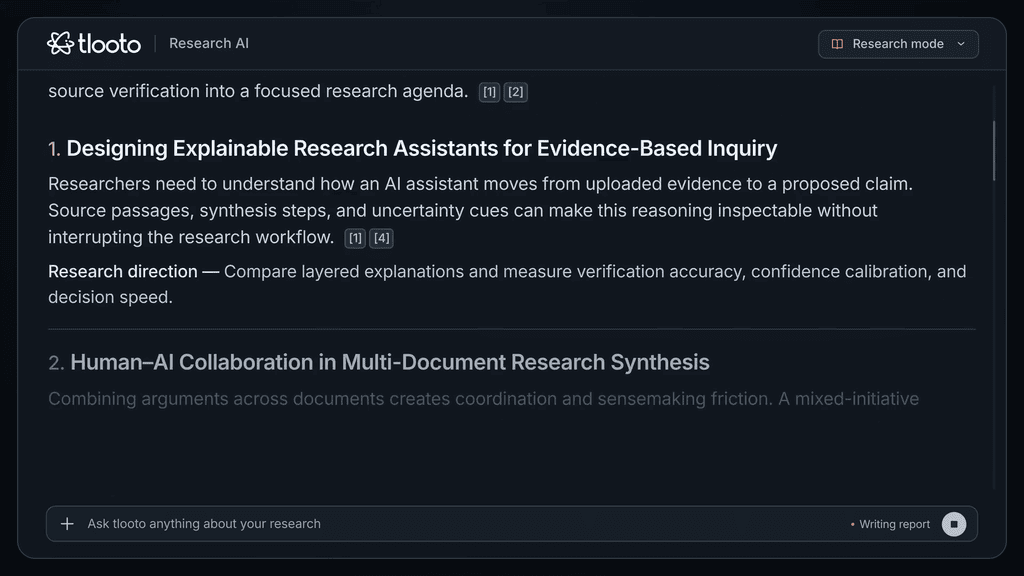
Tlooto introduction image (Source: Tlooto)
From Meeting Recordings to Minutes: Daglo
Daglo is a voice recognition AI add-on that converts recording files into text and summarizes them to create draft meeting minutes. Developed by Action Power, it is a service that handles transcription, AI summarization, and minutes generation directly within Hancom Word.
When organizing meeting content, a process is needed to re-verify who gave what opinion and what the key points and decisions were. In Daglo, you can check speaker-specific transcription results and AI summaries, and the ‘Generate Meeting Minutes’ feature allows you to reflect the organized content directly into a Hancom Word document. A key feature is the ability to work seamlessly from recording to content organization and minutes creation within Hancom Word.
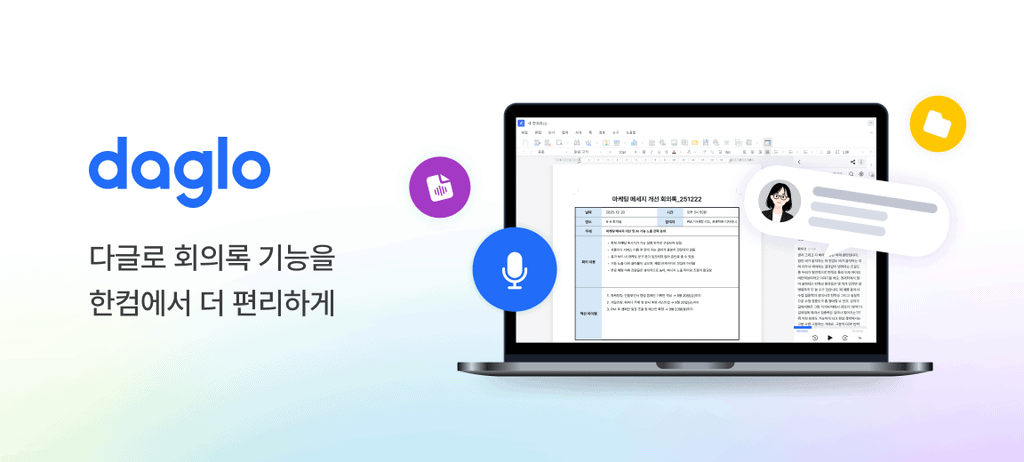
Daglo and Hancom Word integration guide image (Source: HanAddons)
Find the add-ons you need for your work in HanAddons
From Plagiarism Checks to AI Generation Detection: CopyKiller
CopyKiller is a document verification service operated by Muhayu that checks for plagiarism in various documents such as theses, assignments, and reports. It identifies plagiarism rates, similar sentences, and sources based on a large-scale comparison database and document analysis technology. It also provides AI generation detection (formerly GPT Killer), which detects areas likely written by generative AI like ChatGPT. By providing both plagiarism and AI generation checks, it allows for the verification of both document similarity and AI authorship.
Using CopyKiller in HanAddons allows you to check documents currently being written in Hancom Word directly for plagiarism and AI generation. Based on a large-scale comparison database including domestic theses and academic materials, along with Korean document analysis technology, it can be used for document verification to check for similar sentences, sources, and suspected AI-generated areas before submitting theses, assignments, or reports.
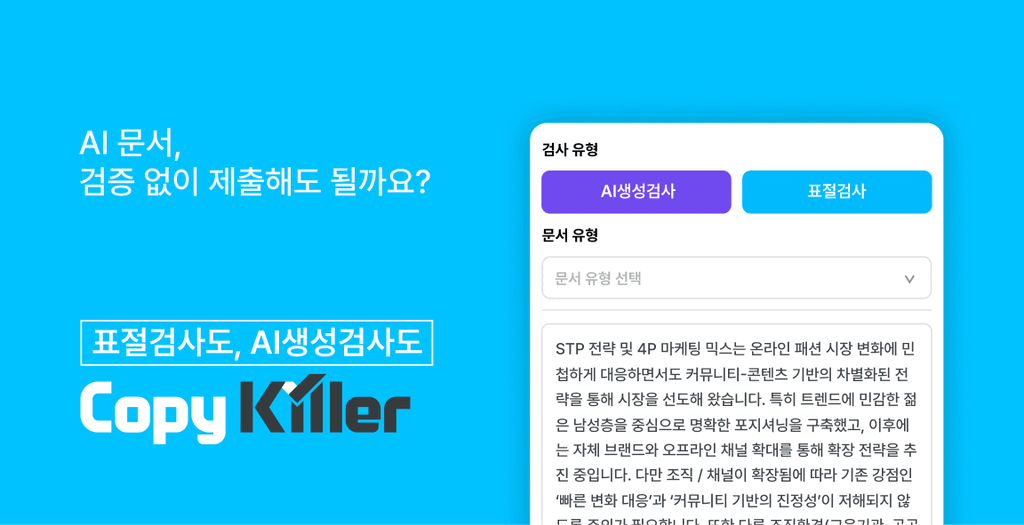
CopyKiller Hancom Word document check guide image (Source: HanAddons)
Context-Aware Sentence Proofreading and Editing: EditUp
EditUp is an AI proofreading add-on developed by Upstage that reads context to suggest proofreading and editing.
Even if there are no spelling issues, a sentence’s meaning can be difficult to understand if it is too long or uses awkward expressions. Typical cases include mismatched subjects and predicates or multiple ideas crammed into a single sentence. EditUp identifies awkward expressions and sentence structures based on context and suggests corrections. It can refine sentences that are difficult to catch with simple spell checkers to fit the context.

EditUp demo image (Source: Upstage)
Check Your Hancom Word Version Before Using HanAddons
Run from the Add-ons Menu in Hancom Word
HanAddons is available in Hancom Office 2024 Hancom Word version 13.0.0.3379 or higher. You can check the version in ‘About Hancom Word’ under the Help menu at the top right of the program. It is currently available for Hancom Word, with plans to expand support to other Hancom Office products like HanCell and HanShow in the future.
- Check if your version is supported and update if necessary.
- Select HanAddons from the Add-ons menu in Hancom Word.
- Check the features and terms of use for the desired add-on and install it.
- Save your current document and restart Hancom Word to open the add-on.

HanAddons Startup Guide, Hancom Office Installation Step (Source: HanAddons)

Screen for selecting HanAddons from the Hancom Word Add-ons menu (Source: HanAddons)

HanAddons Startup Guide, Add-on Selection and Installation Step (Source: HanAddons)
Three Things to Check Before Installation
External partner add-ons follow the account and pricing policies of each respective service. Except for Asset Studio, the other five require separate registration with the partners, and the scope of free trials and paid rates varies by service.
For company or institutional PCs, it is advisable to check installation permissions and external service usage regulations in advance. When entering sensitive documents such as contracts or unpublished research data, please check both your organization’s policy and the service’s data processing terms.
Frequently Asked Questions
Is HanAddons free?
Asset Studio is in free beta. For the other partner add-ons, free trial and paid pricing conditions vary by service, so you should check each service’s pricing guide before installation.
Do I need to move Hancom Word documents to another editor?
No. HanAddons works by adding features to the Hancom Word you are currently using, so there is no need to move documents. However, registration or web-only features may be handled on the partner’s page.
Can I log in to everything with a single Hancom account?
This is not yet supported. Partner add-ons require separate registration and login for each service, and only Asset Studio can be used without a separate account.
Do More in Hancom Office with HanAddons
Through HanAddons, you can add and use essential features in Hancom Word, such as contract drafting and review, academic research, meeting minutes creation, document proofreading/editing, plagiarism/AI generation checks, and emoji/icon/image insertion.
Starting with the currently available add-ons, we plan to continue expanding various collaborative services and features developed directly by Hancom. Select and add the features you need to create a Hancom Office that fits your work.
Check services and installation methods for your documents in HanAddons
Notice: Hancom operates the HanAddons platform, while the quality, operation, customer support, and personal information processing of external partner add-ons are handled by each respective partner.