What is OCR? From AI OCR Core Technologies to a Document Automation Guide
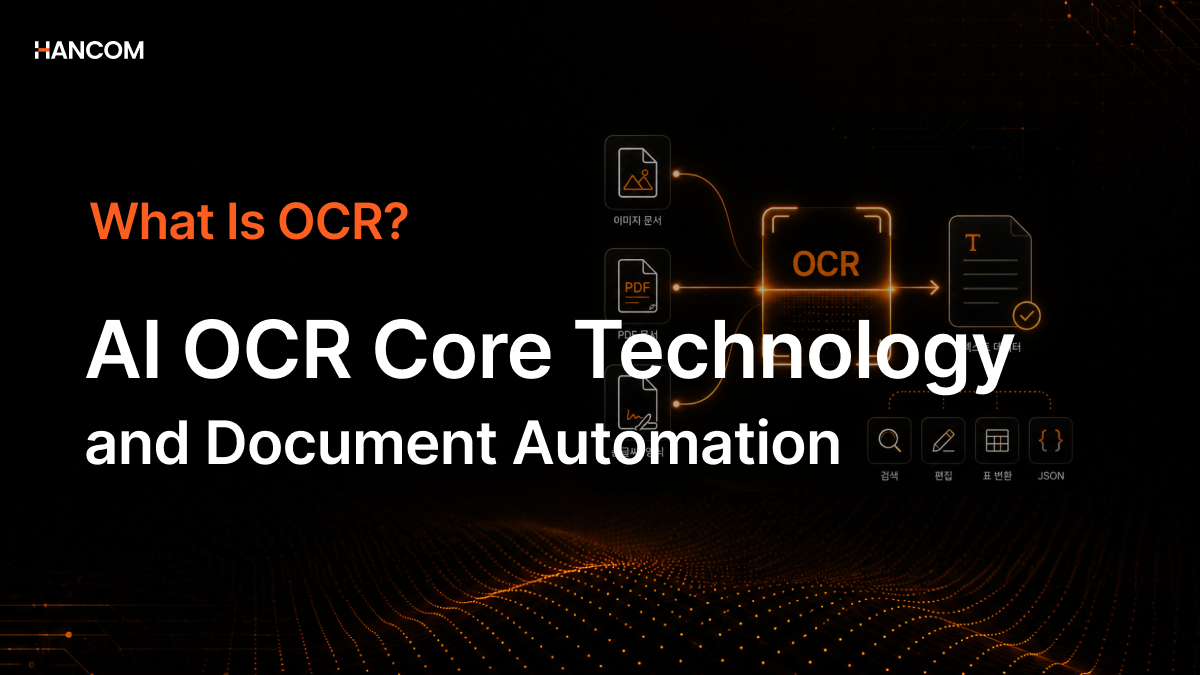
It’s common to encounter situations where table content gets reordered after implementing OCR (Optical Character Recognition), HWP·HWPX files can’t be opened at all, or errors occur during document preprocessing. We will systematically cover everything from the meaning and principles of OCR to AI OCR core technologies and the document automation pipeline.
What is OCR? Definition and Concepts
OCR is a technology that converts text images into a machine-readable format.
OCR Definition and Key Features
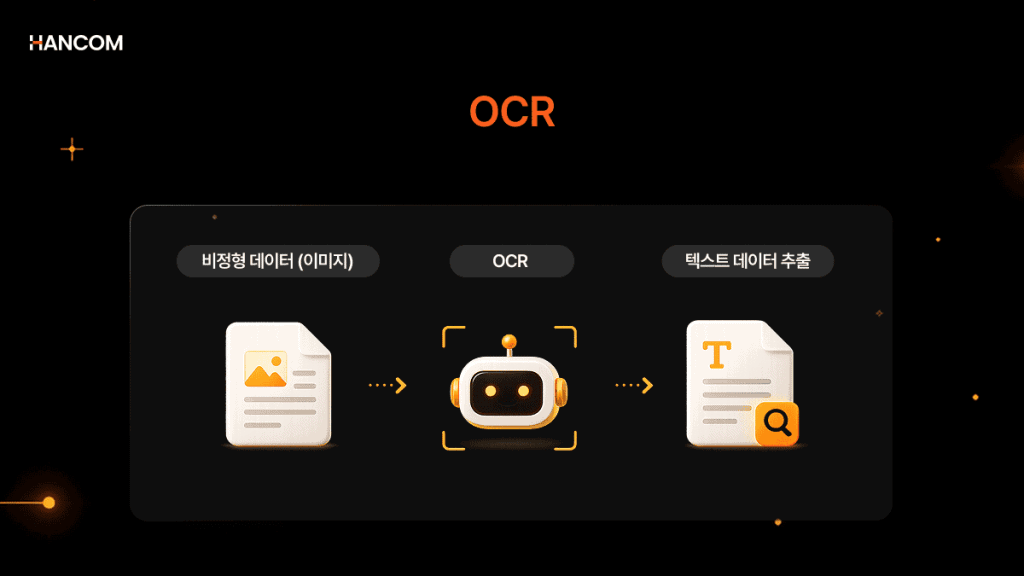
OCR extracts data from scanned documents, camera images, and image-only PDFs, transforming it into editable and searchable text. OCR software identifies characters in images, forms them into words, and then converts words into sentences, allowing access to and editing of the original content. Scanning official administrative documents, automatic contract entry, and extracting text from image-based PDFs are all based on this technology.
How Does OCR Work? Principles of Operation
OCR goes through three stages: image preprocessing → character recognition → post-processing.
In image preprocessing, unnecessary artifacts are removed and skew is corrected. In character recognition, the system analyzes regions in the image and uses pattern-recognition algorithms to identify characters in text areas distinguished from the background. In post-processing, misrecognized characters are corrected and output as editable, searchable text data.
History of OCR Technology and AI OCR Core Technologies
History and Types of Traditional OCR Methods
OCR technology was first developed in the early 20th century to help visually impaired individuals read printed text.
By the 1950s, banks and the postal industry began commercial adoption to automatically extract data from standardized forms. However, early OCR could only read predefined fonts and layouts, leading to errors with even slight variations in format. It worked well for structured and predictable documents but failed to perform adequately for others.
It evolved in the 1990s to recognize various fonts and languages. While its application scope significantly expanded, processing unstructured data, handwriting, and documents with irregular layouts remained challenging. Manual review was essential for most document processing tasks.
It reached a major turning point in the 2000s. As AI and machine learning were integrated into OCR systems, they became able to process a much wider variety of documents with higher accuracy. They learned from processed documents, adapted to new formats, and significantly reduced reliance on manual input and error rates.
Three Core AI OCR Technologies
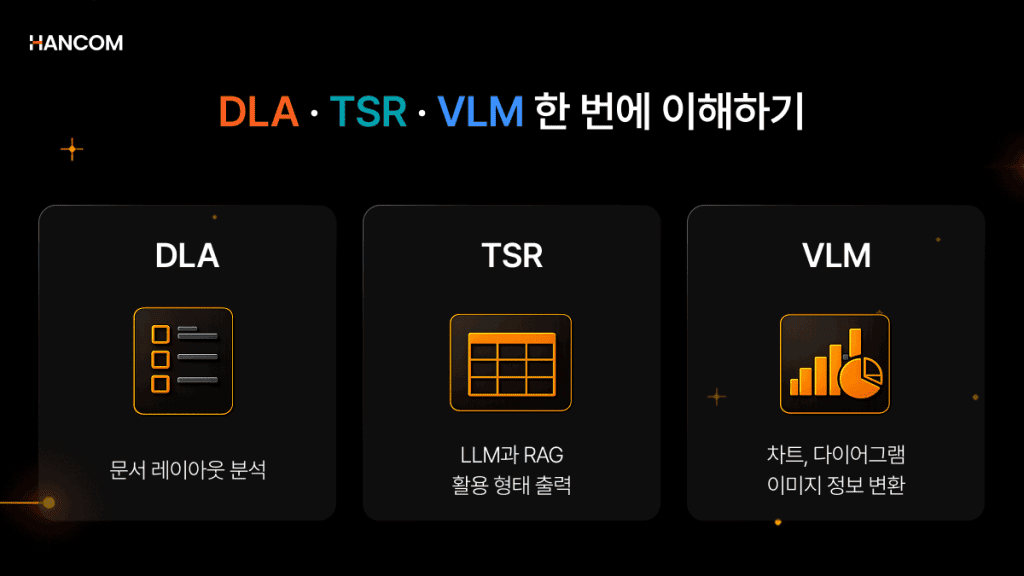
The core technologies that make up Document Understanding are OCR, DLA (Document Layout Analysis), and TSR (Table Structure Recognition). As VLM (Vision Language Model) technology is combined with these, the field is expanding toward understanding unstructured visual information such as images and charts as well.
DLA automatically distinguishes titles, tables, and image regions within a document. Just as people grasp a document’s structure at a glance, DLA enables AI to understand the overall layout first.
TSR restores row–column relationships and converts even borderless tables and merged cells into structured data. While traditional OCR treated tables as unstructured text, TSR preserves the cell-level structure and outputs it in a format that can be used directly with LLMs and RAG.
VLM-based Image Captioning automatically generates searchable text descriptions for charts and diagrams. Since information within images is converted into text, visual information can also be utilized during AI searches.
※ The Image Captioning feature is currently in the PoC stage, and the commercial release schedule will be announced later.
Hancom Data Loader includes Semantix internally, integrating DLA/TSR/VLM-based image captioning/OCR into a single pipeline.
OCR Application Methods and Industry-Specific Use Cases
OCR Use Cases in Finance, Public Sector, Healthcare, and Logistics?
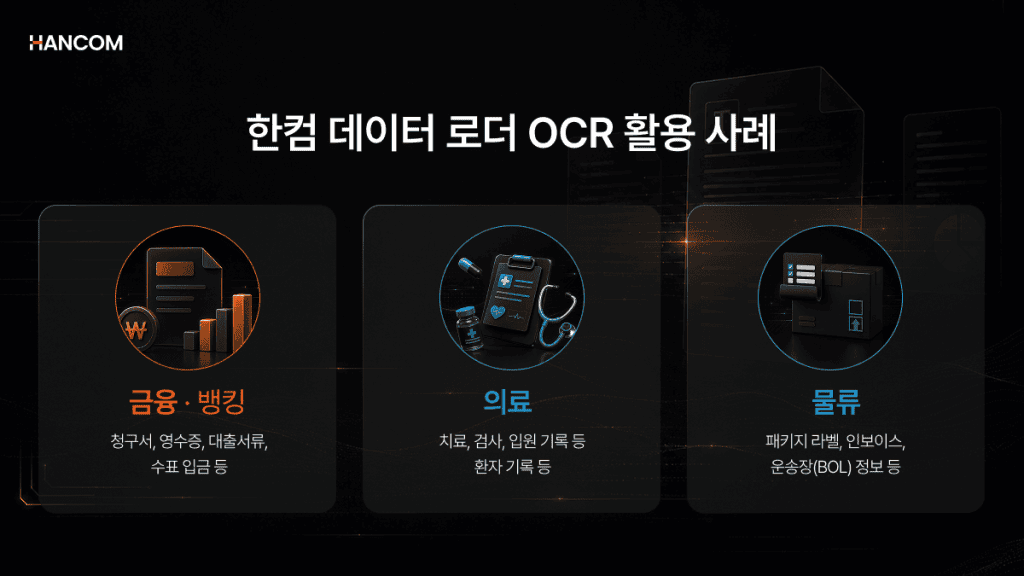
AI OCR automates manual data entry across various industries, including finance, healthcare, and logistics.
In finance and banking, it automatically processes and verifies documents required for financial transactions, such as invoices, receipts, loan documents, and check deposits. In healthcare, it processes patient records like treatment, examination, and hospitalization records, streamlining workflows and reducing manual tasks in hospitals. In logistics, it extracts information from package labels, invoices, and bills of lading (BOLs) to efficiently track documents. Additionally, businesses and institutions can convert existing documents into searchable digital archives, allowing for quick retrieval of necessary information from large volumes of files.
Document Automation with OCR in the AI Era: Why Text Recognition Alone Is Insufficient
Difference Between OCR and Parser
In the AI era, OCR requires structured document output, not just simple text extraction.
With the introduction of LLM and RAG into practical applications, the demands on OCR have changed. Extracting only text from scanned PDFs makes it difficult to properly operate an AI pipeline. If merged-cell boundaries disappear, multi-column layout order is scrambled, or the hierarchy of titles, subtitles, and body text is lost, AI cannot grasp the context.
If OCR reads ‘what is written,’ Document Parsing understands ‘how it is structured.’ Both stages must work together for complete document AI integration.
Overview of the Differences Between OCR and Document Parser
| Category | OCR | Document Parser |
| Role | Converts characters in images to text | Analyzes document structure, hierarchy, and meaning |
| Output | Flat text | Structured data (JSON, HTML) |
| Limitations | Cannot understand table, hierarchy, or image structures | Cannot process image documents independently |
| Application | Simple text digitization | RAG, AI system pipeline integration |
💡 If you are considering both HWP·HWPX file processing and AI system integration, you can check out the live demo of Hancom Data Loader first.
Can General Solutions Process HWP Korean Documents with OCR?
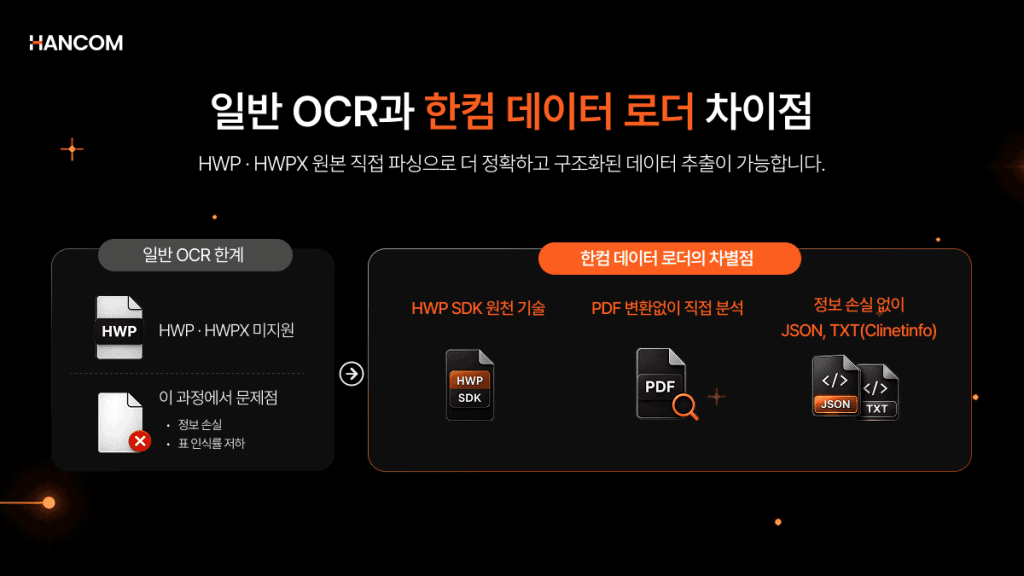
General OCR solutions cannot directly process HWP·HWPX files. This is because they do not support HWP·HWPX, requiring prior PDF conversion, which often leads to document structure loss.
Limitations of General OCR Solutions for HWP·HWPX Processing and the Need for Direct Original Parsing
A significant portion of domestic public-sector, financial, and legal documents are created in the HWP·HWPX format. However, most OCR solutions do not directly support HWP·HWPX, so a conversion process is required.
During this process, various layout elements such as track changes, footnotes, equations, and bullet points are lost. Tables with merged cells are converted into images, making it impossible to read what’s inside them.
Hancom Data Loader directly analyzes all HWP versions 3.0 and above from the original source using HWP SDK core technology, without PDF conversion, outputting to JSON and HTML while preserving various layout information.
A Quick Look at theDifference Between PDF Conversion and Direct Original Parsing
| Item | PDF Conversion Method | Direct Original Parsing |
| Processing Method | HWP·HWPX → PDF conversion, then OCR | Direct analysis of original HWP·HWPX files |
| Table Data | Converted to image, unrecognizable | Structure preserved, cell-unit extraction |
| Formatting Information | Footnotes, indents, bullets lost | Recognition of various layout elements |
| Supported Versions | Limited | All HWP versions 3.0 and above |
OCR and RAG Connection: Why Extraction Quality Determines Search Accuracy
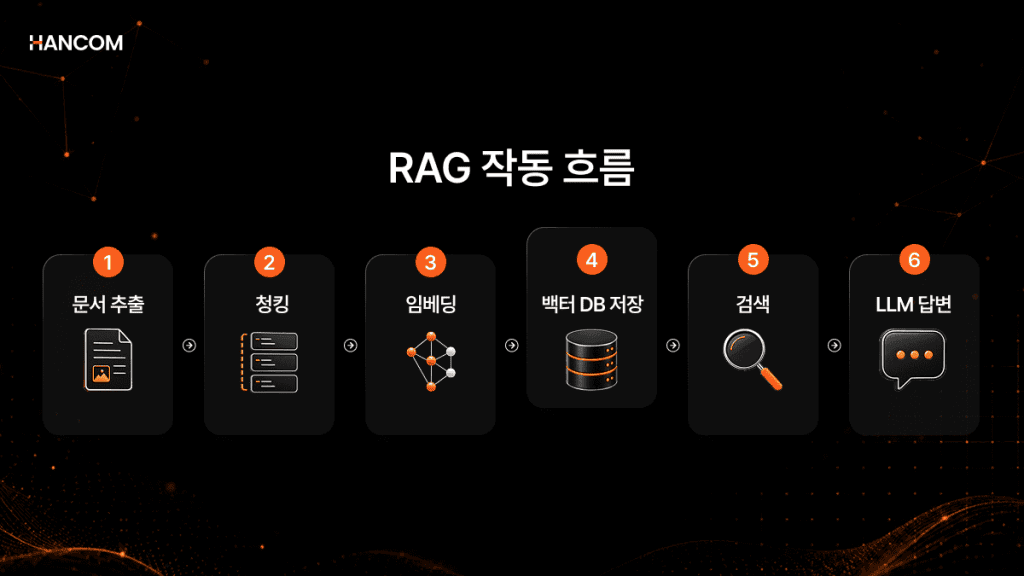
Document extraction quality determines the upper limit of the overall performance of an RAG system.
RAG works in the order of document extraction → chunking → embedding → vector DB storage → retrieval → LLM response. If document extraction is not accurate, the output of subsequent stages also degrades. Text with damaged structure is difficult to split into meaningful units (chunking), and when retrieval is done on incorrectly split text, the AI misses context and provides inaccurate answers.
Hancom Data Loader’s Level inference automatically categorizes paragraph hierarchies by analyzing indentation, numbering schemes, and font sizes. Since hierarchical information is included in the structured data output, AI can accurately grasp context and provide answers in the subsequent chunking stage. Hancom Data Loader handles the extraction and parsing stages, and from the chunking stage onwards, it can be configured in conjunction with RAG solutions like Hancom Pedia.
Types of OCR Programs and Selection Criteria
Comparison of OCR Programs: From Open Source to Enterprise Solutions
OCR programs are categorized into three types: open source, cloud API, and on-premise. The appropriate method depends on document type, security environment, and infrastructure conditions.
Open-source programs like Tesseract and PaddleOCR are free tools based on the Apache 2.0 license, supporting over 100 languages. However, as they operate image-based, they cannot directly process HWP·HWPX file formats. Cloud API methods offer quick adoption and high general accuracy, but require documents to be sent to external servers, making them unsuitable for public and financial institutions in closed network environments. The SaaS API method can be used immediately without separate installation, allowing selection based on security environment and implementation objectives.
Overview of Open Source, Cloud API, and On-Premise Comparison
| Category | Representative Tools | Features | Key Limitations |
| Open Source | Tesseract, PaddleOCR | Free, customizable | Does not support HWP·HWPX file formats |
| Cloud API | Google Vision, AWS Textract | Quick adoption, high general accuracy | External transmission required → Not suitable for closed networks |
| On-Premise | Hancom Data Loader, etc. | Internal network installation, maximized security | Requires initial environment setup |
Before adoption, you can first check four criteria: whether HWP·HWPX processing is needed, whether it’s a closed network environment, whether it can run on CPU only, and whether AI pipeline integration is required. If two or more apply, you should consider a structured document parsing solution.
💡 If two or more of the above criteria apply, we recommend Hancom Data Loader.
👉 Go to Hancom Data Loader Live Demo
OCR FAQ (Frequently Asked Questions)
Q1. Are OCR and document parsing the same?
They are different technologies. OCR is the stage of reading characters in an image as text, while parsing (Document Parsing) is the stage of analyzing the structure and hierarchy of that text. For complete document automation, these two stages work together sequentially.
Q2. Can HWP·HWPX files be processed with OCR?
HWP·HWPX electronic documents require direct parsing, not OCR. Since HWP·HWPX files already have structural information digitally encoded, applying OCR necessitates prior PDF conversion, which results in the loss of formatting and table structures. Direct parsing based on HWP SDK core technology is the method that can process them without losing formatting and table structures.
Q3. Does OCR quality affect AI search accuracy?
It directly affects it. If the document extraction quality in the initial stage is low, even with excellent AI models, there will be limitations in search accuracy and answer quality. Text with damaged structure is difficult to divide into meaningful units, and the AI cannot find the correct context.
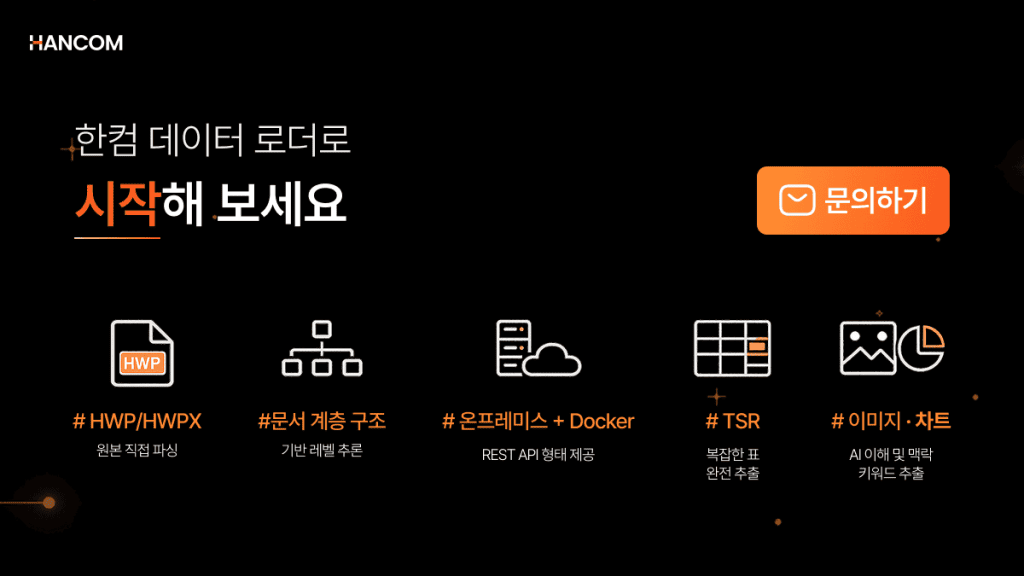
Have you considered document structuring beyond OCR?
🖥️ Hancom Data Loader
To complete document automation that started with OCR, structured extraction that handles table structures, paragraph hierarchies, and HWP·HWPX formats is also necessary.
Hancom Data Loader internalizes Document Layout Analysis (DLA), OCR, and Table Structure Recognition (TSR) into a single pipeline to extract HWP, HWPX, PDF, and OOXML into structured data without conversion. It supports on-premise installation in closed networks and allows flexible operation of CPU and GPU.
If you are considering building an RAG pipeline, start with Hancom Data Loader.
👉Inquire about Hancom Data Loader Adoption
References
- IBM, “What is Optical Character Recognition (OCR)?”
- AWS, “What is OCR?”
- Idenfo, “The Evolution of OCR Technology: Past, Present, and Future”
- Parseur, “What is OCR (Optical Character Recognition)?”
- arXiv, “Retrieval-Augmented Generation for Knowledge-Intensive NLP Tasks”, 2020
- Tesseract OCR Official GitHub
- Amazon Textract Official API Documentation