Creating HWP Contracts: Draft and Review Contracts in Hangul with AI
Creating an HWP contract doesn’t start with finding a template—it begins with documenting the terms that have changed in this transaction. You need to organize the terms first so you can compare the AI-generated draft against the actual agreement.
When freelance, outsourcing, or instructor contracts repeat, you end up opening the previous document and changing only the name and amount. It’s the fastest method. However, that document also carries over the delivery dates and review conditions from the previous project. Yet you can’t start from scratch every time.
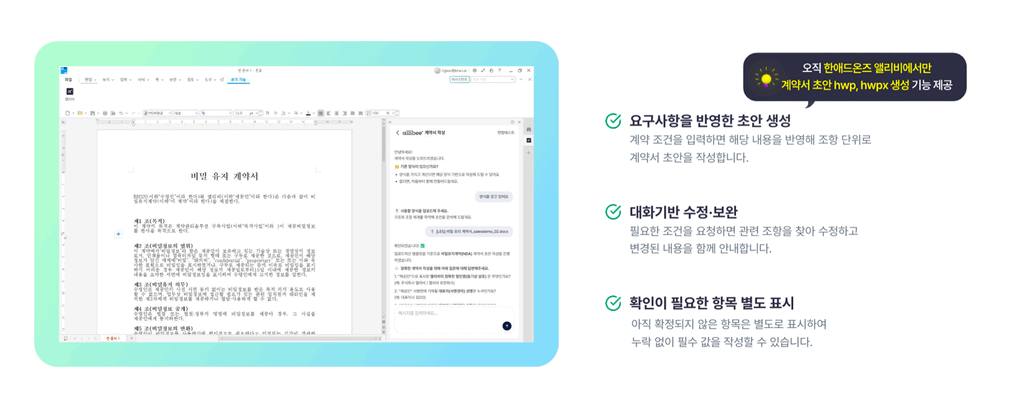
Allibee, an AI contract and legal service created by BHSN, generates contract drafts within Hangul when installed via Han Addons. The ability to generate drafts as hwp·hwpx files is provided exclusively in Han Addons Allibee.
Below, we’ll follow the sequence of completing a single contract—from preparing transaction terms to creating a draft and comparing it against the actual agreement.
👉 Explore Allibee for contract drafting on the Han Addons homepage
HWP Contract Creation: Transaction Terms Come Before Templates
Identifying Terms That Differ from Previous Contracts When Creating HWP Contracts
What repeats is the contract format, not the transaction terms. Even for the same design outsourcing work, a contract that delivers only mockups differs in rights clauses from one that includes source files. When contracting with the same instructor again, the number of sessions, whether filming is involved, and the scope of material use are redefined each time.
So before opening the previous document, write down what has changed this time. Mark separately any items not yet agreed upon with the other party.
Distinguishing Confirmed Facts from Pending Items for the Contract Draft
At this stage, you don’t need to polish the contract language. It’s enough to separate confirmed facts from items still blank.
The riskier approach is filling in undecided amounts or deadlines with estimates. Items requiring negotiation appear as confirmed terms and get overlooked.
Preparing Information Needed to Generate an HWP Contract Draft
Organizing HWP Contract Draft Preparation with Seven Categories
Write down what has been confirmed and what still needs verification, divided into the seven categories below. This table can serve as the reference when comparing the draft against the actual agreement later.
| Preparation Item | Content to Record | Action When Undecided |
| 1. Parties | Exact names and roles of contracting entities | Confirm actual contracting entity |
| 2. Scope of Work | Tasks to perform, deliverables, quantities, excluded work | Negotiate scope of additional requests |
| 3. Period Schedule | Start date, delivery date, phase-by-phase schedule | Compare with internal approval timeline |
| 4. Payment | Amount, tax treatment, payment terms and timing | Confirm with quotation/settlement contact |
| 5. Review Revisions | Review contact, review deadline, revision scope | Agree on review process |
| 6. Rights Materials | Purpose of deliverable use, handling of provided materials | Confirm authority and permitted scope |
| 7. Changes Termination | Handling schedule changes and early termination | Organize matters for mutual agreement |
* The table above is a checklist for organizing transaction terms, not Allibee’s actual input screen. Enter the organized content according to the service’s creation method.
When filling out the table, include personal information or confidential materials only as needed, and check your organization’s internal usage policies.
Converting Contract Creation Requests into Specific Transaction Terms
Once the table is filled, transfer that content into input sentences. A request like “Create an outsourcing contract” doesn’t define the scope of work or payment criteria.
The more you specify—type and quantity of content to produce, delivery date, review method—the better. The more specific the input, the easier it becomes to identify what’s correct and what’s missing in the resulting draft.
Creating a Memo of Outsourcing Terms Before Contract Creation
Outsourcing Contract Creation Example: Finding Items Requiring Negotiation
Let’s assume a small advertising agency is commissioning an external creator to produce promotional images.
The note the person in charge received was a single line: “Next month’s event image production, cost as quoted, revisions possible.” This isn’t enough to write a contract. Nothing is defined—how many images, when to deliver, how far revisions go, what the quote amount is.
| Vague Memo | Specified Hypothetical Work Terms |
| Event image production | Six online promotional images, delivered in agreed specifications |
| Delivery by next month | First draft October 8, final delivery October 15 |
| Revisions possible | Two revisions within agreed production scope; scope changes require separate negotiation |
| Payment as quoted | Total amount 1.8 million won; tax treatment and payment date require additional confirmation |
| File delivery | Delivery format and inclusion of source files to be separately agreed |
* The content above is a hypothetical example organizing transaction terms for an outsourcing contract. It is not Allibee’s actual output or a completed contract.
Do Not Arbitrarily Confirm Undecided Terms Before Automated Contract Creation
Even after organizing this way, blanks remain. If you’ve only agreed on “payment after review,” the review contact, review deadline, and payment timing are still items to align with the other party. Even if the AI-generated text includes values, unagreed terms should not be confirmed as-is but returned to mutual negotiation.
Organized terms can be transferred into sentences like “The production work shall consist of six online promotional images, and additional work beyond the agreed scope shall be separately negotiated.” Review, payment, rights, and responsibilities should have separate clauses, and the entire draft should be checked for internal consistency.
👉 Once you’ve prepared your terms memo, check out Allibee on the Han Addons homepage
Creating a Draft with Hangul Contract AI and Reviewing in HWP
Preparing the Hancom Office Contract AI Execution Environment and Draft Generation
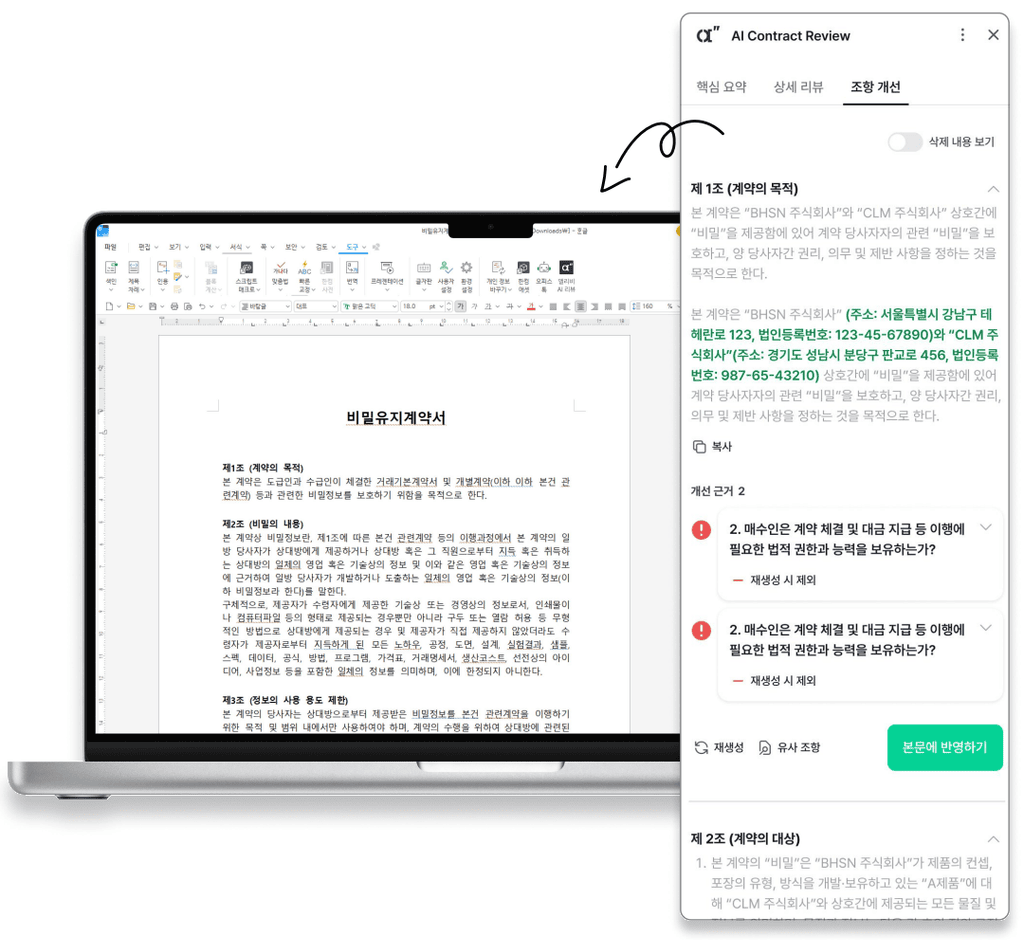
Once terms are organized, launch Allibee in Hangul. Allibee creates a draft tailored to contract terms and allows you to continue using summaries and AI reviews within Hangul. The feature scope can be confirmed in the Allibee product guide.
However, you should not assume the Allibee web service and Hangul add-on offer the same scope. Check the supported environment and usage conditions for the features you intend to use. The overall sequence is as follows.
- Check usage environment: Confirm you have Hancom Office 2024 Hangul 13.0.0.3379 or later, the common starting environment for Han Addons.
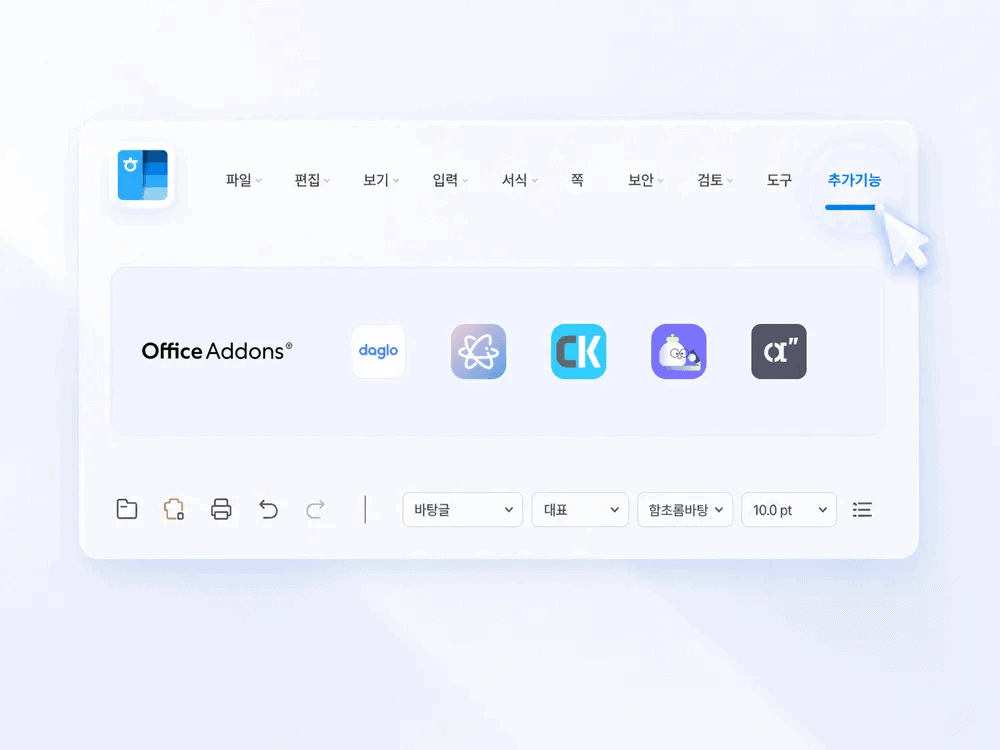
- Install and log in: Open Han Addons from Hangul’s [Add-ons] menu, install Allibee, then log in with your Allibee account. Subscriptions are managed on the Allibee homepage.
- Prepare creation terms: Separate confirmed terms—parties, work, payment, period—from pending items.
- Use draft generation: Launch Allibee from the Hangul menu and enter the organized transaction terms.
- Review HWP content: Read the generated draft in the Hangul document and compare it against your prepared terms memo.
- Edit and review: Correct incorrect facts and missing terms, then use summaries and reviews to examine additional clauses.
Install after updating Hangul 2024 to 13.0.0.3379 or later. Once complete, restart Hangul for the menu to appear. (Source: Han Addons official installation guide and service-specific coverage)
Comparing the HWP Contract Draft Against the Terms Memo Item by Item
When the draft appears, start with items where correctness is clear—party names, amounts, dates. Then check whether terms not in the memo have been added or agreed terms are missing. If undecided payment dates or rights scope appear as confirmed sentences, those items must return to mutual negotiation.
Checking Content with Summaries and Reviews After Automated Contract Creation
Additional Checking with Hangul Contract Summaries and Reviews
Once all terms are in the document, it’s time to find clauses requiring review. Smooth language doesn’t mean agreed terms are properly reflected.
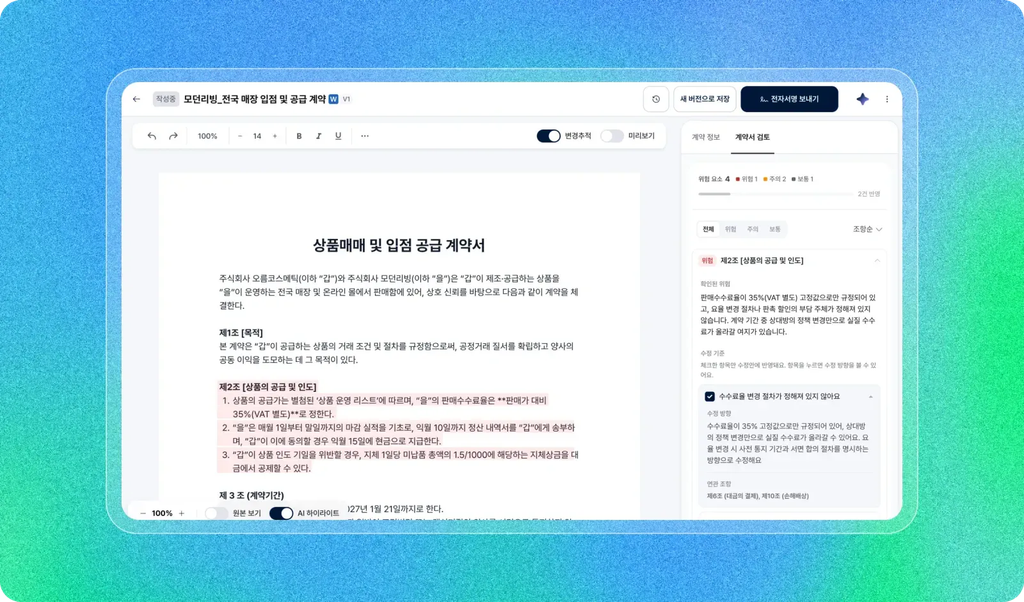
Summaries are used to see at a glance whether the draft’s core matches actual intent. However, summaries may compress conditions or exceptions, so amounts, deadlines, and responsibilities must also be verified in the contract text itself.
Reviews show flagged clauses and their reasons. Organize items to revise or negotiate, but before adopting suggestions, consider whether your organization and the other party can actually fulfill those conditions. Detailed review methods are outlined in Reviewing Unfavorable Clauses in Hangul Contracts with AI: How to Use Allibee Summaries and Reviews.
Retaining Approved Contracts and Revision Records
If you write contracts repeatedly, keep the following three items. You won’t repeat the same questions in the next contract.
- Transaction terms memo: Facts agreed upon and pending items in this contract
- Revision record: Changes made from the draft and reasons for changes
- Approved version information: Final reviewer, version and date of approved document
With records, you can also catch inconsistencies between clauses. If the delivery date was postponed, check whether the review and payment schedule followed; if deliverable quantities changed, verify that scope of work and payment clauses don’t contradict each other. Signatures proceed based on the finalized document.
HWP Contract Creation and Standard Contract Template FAQ
Can I create a contract draft with AI in Hangul?
You can create contract drafts in Hangul using Allibee in Han Addons. The ability to generate drafts as hwp·hwpx files is provided exclusively in Han Addons Allibee. After entering terms and receiving a draft, compare the generated HWP document against the agreed content and revise as needed.
What is more important than preparing an existing contract template?
Organizing the terms of this transaction comes first. Even with a template, if the parties, scope of work, payment, and period differ, the content must change. Whether a separate template is needed depends on the service’s creation method, but you should not assume preparation is complete simply because you have an existing document.
Do you provide standard contract templates by contract type?
Allibee drafts based on standard templates. Check with Allibee whether your intended contract type is supported. For cases like employment contracts where the legal nature of the contract must be determined, you must also examine the actual work method and party relationship. For difficult judgments, seek expert review.
Can I use the AI-generated contract draft as-is?
You must verify it matches actual transaction terms and complete necessary revisions and negotiations. AI drafting, summaries, and reviews do not replace legal counsel, and contracts involving significant rights or responsibilities may require expert review.
Can I use Allibee with my Hancom account and payment?
Hancom accounts and Allibee accounts are not integrated. Even if you download the installer from Han Addons, subscriptions start separately on the Allibee homepage. Registration, pricing, and document processing conditions follow guidance from the operator BHSN, and when entering company documents, you must also comply with your organization’s external service usage policies.
HWP Contract Draft Generation: Start with a Terms Memo
What consumes time in recurring contracts isn’t writing sentences. It’s finding terms left over in previous documents and adapting them to the current transaction.
So reversing the order is faster. If you have a contract to write next, before opening the previous document, write down the parties, work, schedule, and payment in a preparation table. Once you’ve separated what’s confirmed from what’s still blank, you already know what to compare when you receive the draft.
Review the usage conditions on the Allibee official site, use it for draft creation, and check the resulting document following the steps in Reviewing Unfavorable Clauses in Hangul Contracts with AI.
👉 Explore the Han Addons homepage for your next HWP contract creation