Refining Official Documents and Reports with AI Proofreading: A Guide to EditUp AI for Hancom Office Hangul

Even after passing a spell check, official documents can sometimes feel vague about what is being requested, and reports may become wordy with translationese or redundant expressions. Even if the spelling is correct, if it is unclear who is doing what and under what conditions, the document must be revised before approval or dispatch.
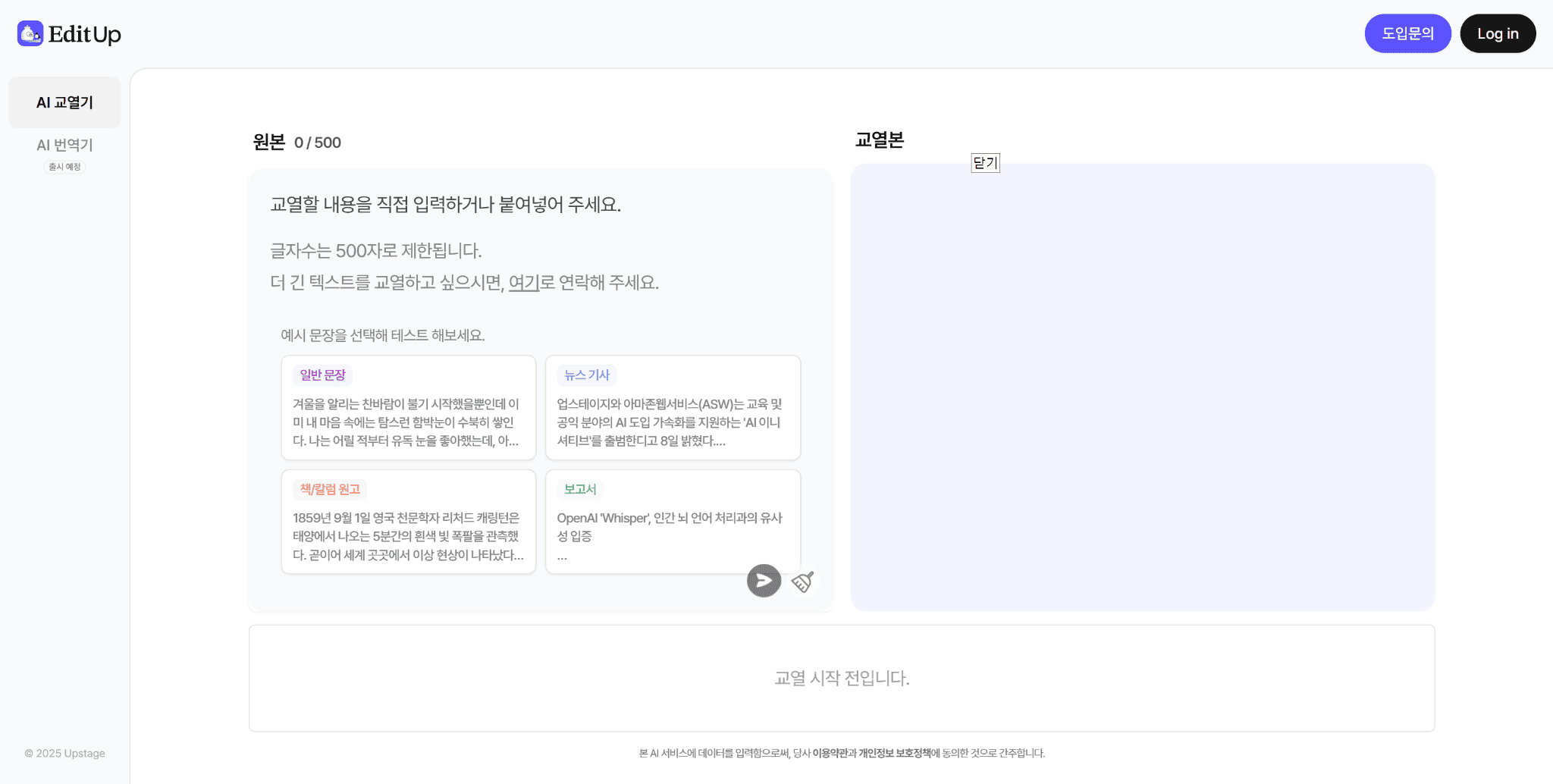
EditUp is an AI proofreading service developed by Upstage based on its proprietary LLM, Solar. It examines not only spelling and spacing but also the overall context, suggesting corrections for awkward sentences such as translationese or redundant expressions. By installing EditUp from HanAddons, you can compare the original text with recommended sentences and apply them directly within the editing screen without moving your Hangul document to another tool.
For those looking to utilize AI proofreading for Hangul in their workflow, this article summarizes the process in order, from corporate usage conditions to comparing proofreading suggestions and final checks after application.
(Source: EditUp Service)
Check EditUp corporate usage information at HanAddons
How is AI proofreading different from spell checking?
Sentences with correct spelling but ambiguous meaning
Document review can be easily divided into two stages: whether the characters are written correctly and whether the sentences read as intended.
For example, the two sentences ‘We plan to review this’ and ‘We have confirmed to proceed’ are both grammatically correct, but their meanings are entirely different. If a ‘review’ stage is changed to a ‘confirmed’ stage while smoothing out a sentence, it leads to professional misunderstandings. While traditional spell checkers primarily focus on the former stage, AI proofreading examines the latter as well.
EditUp’s proofreading scope and accuracy
EditUp uses a Solar-based model trained on media proofreading data. It suggests corrections by considering context—focusing on spelling, spacing, particles, and endings—and identifies awkward expressions like translationese or semantic redundancy.
According to Upstage’s internal evaluation, EditUp’s proofreading accuracy is 62.8%p higher than traditional spell checkers and 51.6%p higher than general-purpose generative AI like ChatGPT and Claude, proofreading a single article in under 7 seconds on average. It is currently used in actual workflows at various media outlets, including the editorial and commentary departments of South Korea’s leading newspapers.
When refining sentences with general-purpose AI, the text often changes more than necessary, requiring frequent re-evaluation of the results. EditUp highlights only the points that require proofreading and allows the user to choose whether to apply or maintain the original, thereby reducing ‘over-editing’ where the source text is excessively altered. Detailed features can be found in the EditUp introduction on the official Upstage blog.

(Source: EditUp Service Brochure, Upstage internal evaluation criteria)
Check corporate usage conditions and document standards before using Hangul AI proofreading
HanAddons EditUp is a corporate-only service
HanAddons EditUp is a corporate-only service. Please first verify if your organization or company has adopted it, and follow the guidance of the relevant department regarding accounts, contracts, usage volume, and data processing conditions.
EditUp is available in Hancom Office Hangul 2024 or higher, and the installation steps are as follows:
- Update Hangul to version 13.0.0.3379 or higher.
- Open HanAddons from the Add-ons menu at the top of Hangul and install EditUp.
- Restart Hangul and run EditUp.
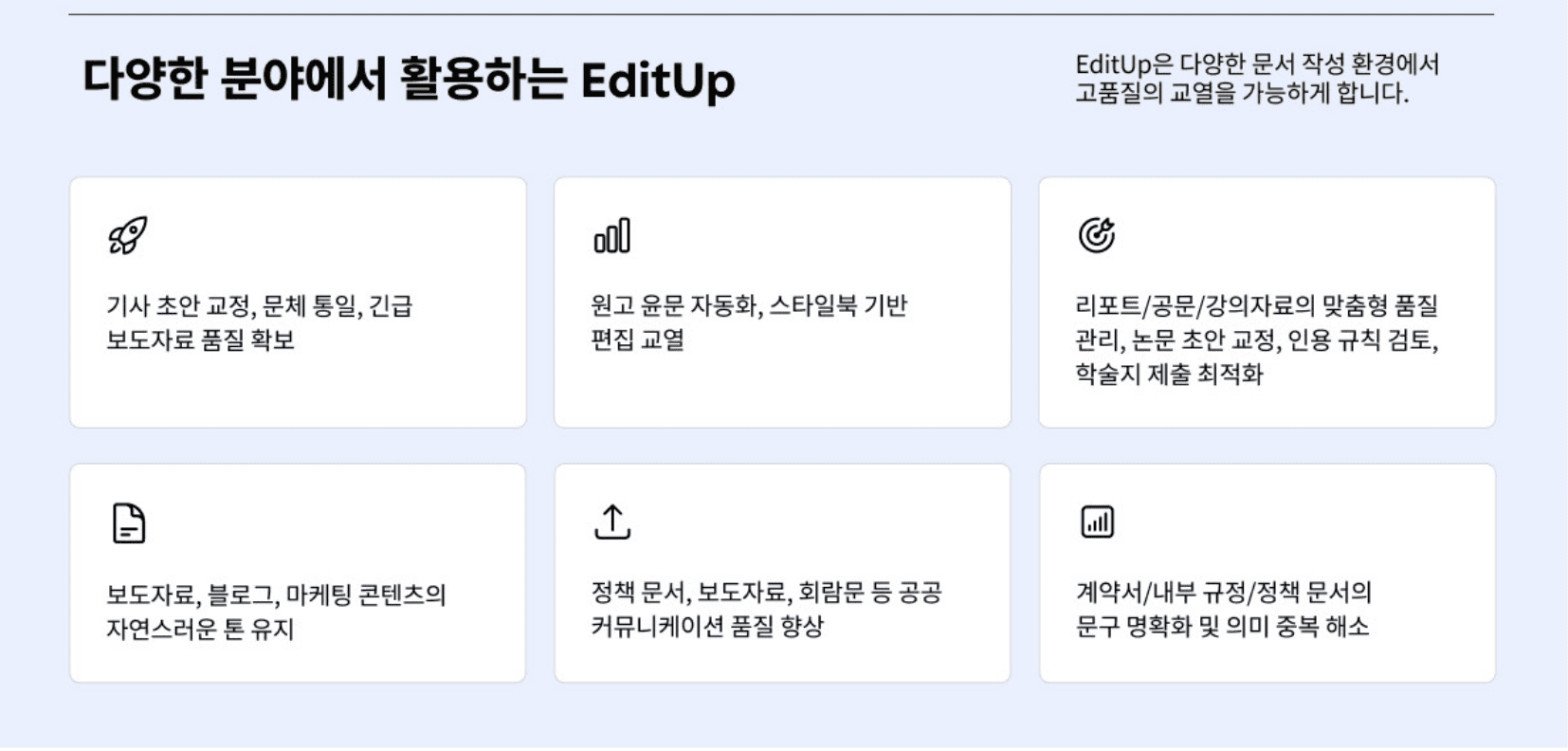
Even after installation, actual use requires organizational contract and account permissions. The latest supported environments can be found in the HanAddons Installation Guide. Since EditUp is provided via web, Chrome extension, Microsoft Word add-in, and API in addition to the Hangul add-on, it is helpful to check which channels your organization can access.
Setting standards for original text, security, and judgment first
Keep the original text and the proofread document separately. If the document contains personal information or confidential data, you must first check your organization’s security standards to see if it can be processed by external AI.
It is also helpful to note down criteria for which suggestions to accept in advance. For example, by deciding on rules like ‘external notices,’ ‘formal honorifics,’ or ‘maintaining official project names,’ you can make quick decisions without hesitation whenever you see a proofreading suggestion.
Sentence refinement AI: Comparing and selecting between original and proofread versions
Steps for comparing original and recommended sentences
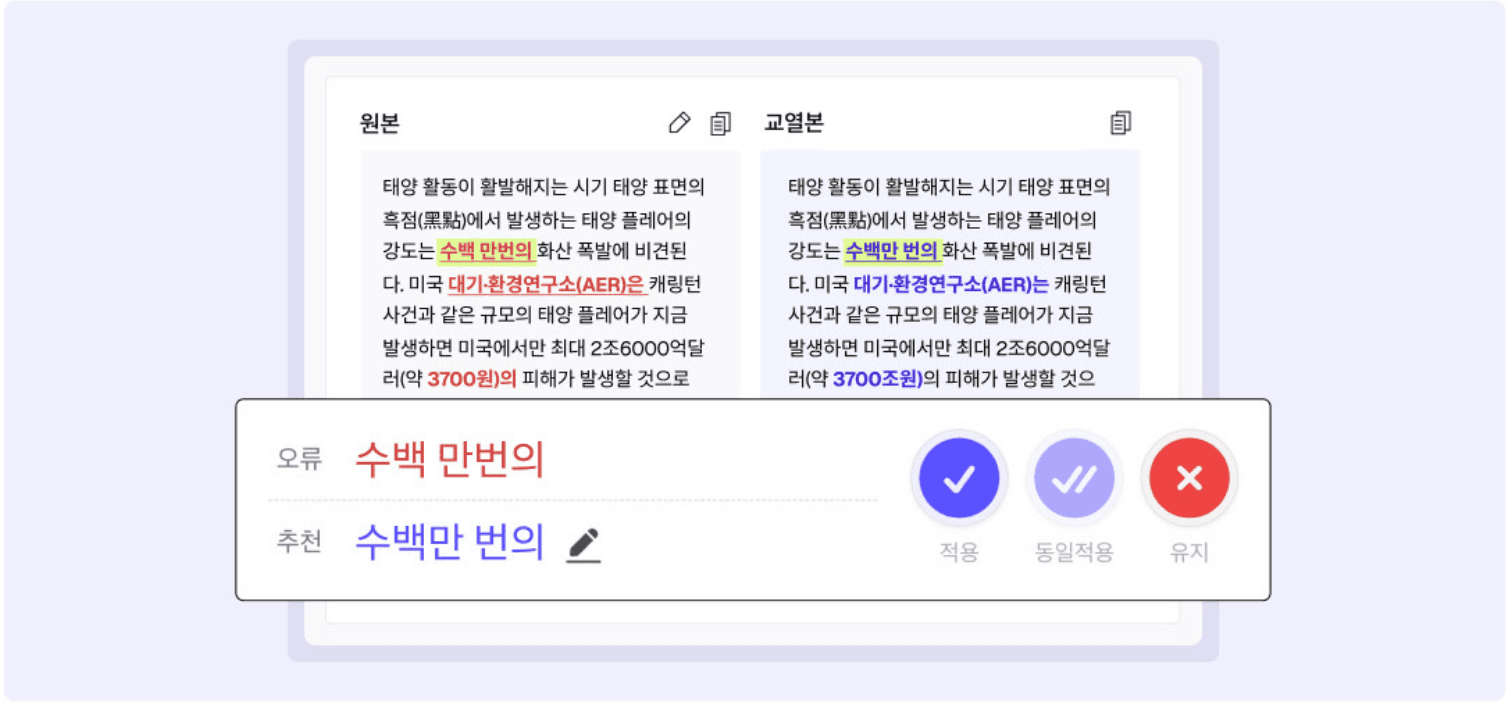
When you run EditUp in HanAddons, the proofreading results for the document you are writing appear in the Hangul side panel. Points requiring correction are highlighted, and you can see errors and recommended expressions side-by-side. For each suggestion, you can choose between Apply, Apply All, or Maintain, and if you do not like the recommendation, you can edit it directly.
(Source: EditUp Service Brochure)
Following these steps when reviewing proofreading results will help ensure nothing is missed:
- Confirm document purpose: First identify the action requested of the recipient and the conclusion to be conveyed.
- Check proofreading points: Review the highlighted points and recommended expressions in the panel one by one.
- Compare context: Do not look at the sentence in isolation; read the conditions of the preceding sentence and the conclusion of the following sentence.
- Apply or Maintain: Apply suggestions that correct spelling errors or unnecessary repetitions, but maintain or manually edit suggestions that change the meaning or official terminology.
- Reread by paragraph: Reread the results reflected in the original text at the paragraph level to check the flow.
When to keep the original text over the recommendation
Official names, direct quotes, and already approved phrases may need to be kept exactly as they are. Even if a recommendation looks smoother, check if it is an expression that is allowed to be changed. In such cases, selecting ‘Maintain’ will keep the original text.
Examining examples of official document and report proofreading
Correcting awkward sentences: A comparison of three examples
Below are hypothetical examples created to explain expressions frequently reviewed in official documents and reports.
| Document Context | Sentence Before Correction | Proposed Revision | Reason for Judgment |
| Official Notice | We would appreciate it if you could review and reply with your feedback. | We would appreciate it if you could review and reply with your feedback. | Refined the honorific expressions to be more natural by shortening ‘replying’ to ‘reply’ and ‘would be grateful’ to ‘would appreciate’. The requested content remains the same. |
| Progress Report | We are currently in the process of making preliminary preparations for the promotion of this project. | We are currently in the process of making preliminary preparations for the promotion of this project. | Removed the unnecessary particle ‘of’ to make the noun phrase more concise. The state of being in the preparation phase is maintained. |
| Project Review | Once the budget is secured, we plan to review a pilot operation in the second half of the year. | Original text maintained | Maintained the original text as there are no errors requiring correction. The budget condition and the state of ‘planning to review’ are also preserved. |
Maintaining distinctions between preparation, execution, and conditional review
In the first example, the requested content was left as is, and only the honorifics were naturally refined. However, since conventions for external documents vary by organization, the original may be maintained depending on the recipient or institutional principles.
In the second example, only unnecessary particles were removed, so the information that preparations are in progress remains. However, if this is shortened to the project is being promoted, the distinction between preparation and execution disappears. Similarly, in the third example, changing it to pilot operation will occur in the second half makes a conditional review read like a confirmed schedule.
Even when shortening expressions, it must remain clear whether something is in preparation, in execution, or under conditional review. If multiple people are reviewing together, leave the reason for the edit in a review note, such as ‘maintaining official name’ or ‘preserving budget conditions.’ This allows the next reviewer to immediately understand the reason for the change.
Exploring EditUp service configuration in HanAddons
Manually checking terminology and facts after Hangul document proofreading
Reading revised sentences and the entire document separately
Since EditUp suggests corrections for specific points, the author must manually verify whether the terminology and expression style are consistent throughout the entire document. After reflecting the proofreading suggestions, read the revised sentences first, and then read the entire document. Check for spelling and structure in individual sentences, and ensure that the same objects are referred to by the same names and that the explanation style is consistent throughout the document.
The focus of the review also differs by document type. For official documents, look at the request items; for reports, look at the status, causes, and measures; and for press releases, look at the distinction between quotes and institutional descriptions. If the same object is referred to interchangeably as a business, project, or task, unify it into one term, but be careful not to group different objects under a single term.
(Source: EditUp Service Brochure)
Proofreading does not replace fact-checking
Just because a sentence is organized does not mean its content has been verified. Cross-reference dates, amounts, statistics, and institutional names with source materials, and verify the sources of quotes. Legal suitability of regulations or contract phrasing and factual judgment in reports require separate review. Hangul AI proofreading does not replace fact-checking or legal review.
The same principle applies when proofreading meeting minutes. Be careful not to change the strength of an agreement while naturally refining the speech. If you need help from recording to drafting minutes, refer to Writing Hangul meeting minutes with Daglo.
Final check before approval and dispatch after Hancom Office AI proofreading
Meaning, Responsibility, Fact, and Format Checklist
Once you have reflected the proofreading results, do not just look at the revised sentences; read the document from beginning to end. Changes in sentence length can affect line breaks within tables or page layouts, so the final submission format must also be checked.
- Meaning: Are negative expressions, conditions, exceptions, and confirmation status the same as the original?
- Responsibility: Have the performing entity or the requested target been changed or omitted?
- Facts: Have numbers, dates, institutional names, and official terms been cross-referenced with source data?
- Style: Is the expression in titles, body text, and tables consistent with the document’s purpose?
- Format: Do line breaks, tables, footnotes, and attachment notations read well in the final document?
- Approval: Is this the final version reflecting internal review opinions and approval procedures?
Distinguishing between original, proofread, and final approved versions
Do not assume that all areas, including tables and footnotes, have been proofread; open the file to be submitted and check it directly. Keeping the original, the proofread version, and the final approved version separately makes it easier to track the revision history later.
AI Proofreading and EditUp FAQ
How is EditUp different from a spell checker?
While a spell checker primarily checks spelling and spacing, EditUp also examines the context to suggest corrections for awkward expressions like translationese or semantic redundancy. Based on Upstage’s internal evaluation, its proofreading accuracy is 62.8%p higher than traditional spell checkers. However, since it does not find every error, you must verify that the original meaning is maintained before applying changes.
How is it different from refining sentences with ChatGPT?
General-purpose generative AI often rewrites entire sentences, requiring you to compare what has changed. EditUp highlights only the points that need proofreading and allows you to choose whether to apply or maintain each suggestion, reducing over-editing. Based on Upstage’s internal evaluation, its proofreading accuracy is 51.6%p higher than ChatGPT and Claude.
Do I have to apply all recommended sentences?
No. You can compare the original and recommended sentences and choose to apply or maintain them. Even if a recommendation looks shorter and more natural, if it changes conditions, responsibilities, or confirmation status, maintain the original or edit it manually.
What types of documents can be proofread?
It can be widely used for business documents such as official notices, reports, press releases, and circulars, as well as documents requiring precise expression like articles, manuscripts, theses, reports, contracts, and internal regulations.
Can individuals install and use it? What are the fees?
HanAddons EditUp is a corporate-only service and is not provided as a free service for individuals. Fees are operated on a corporate annual plan based on monthly call volume, and inquiries regarding adoption and pricing are handled through Upstage. Please first check your organization’s adoption status and usage conditions.
Can institution-specific terminology or notation standards be reflected?
Customization of institution-specific terminology and notation standards can be discussed during corporate adoption. Since the scope of application varies by contract, please distinguish between features provided by default in the Hangul add-on and options that require separate consultation.
What should a human check after AI proofreading?
You must verify the meaning of the original text, numbers and proper nouns, citations and facts, institutional style, and submission format. Proceed with final approval after reading the entire document, including sentences not suggested by the AI.
Try refining your next official document by comparing proofreading suggestions
The core of AI proofreading is not to accept recommendations as they are, but to choose while preserving meaning by comparing with the original. Correct spelling errors and unnecessary repetitions, but maintain the original or manually edit suggestions where meaning, conditions, or responsibilities change. Finally, by checking numbers, proper nouns, citations, and submission formats, you can complete preparations for approval and dispatch.
Check EditUp adoption guide at HanAddons