What is Document Parsing? The Process of Converting PDF, HWP, and HWPX Documents into AI-Readable Structures
Have you experienced internal AX projects where feeding documents directly into RAG (Retrieval-Augmented Generation) resulted in misaligned search results or lost table data?
Structural information within documents such as PDF, HWP, HWPX, and OOXML is difficult to preserve through simple text extraction alone. To build a stable RAG pipeline, a step is required to convert documents into AI-processable data while preserving their meaning. That step is document parsing.
Why Document AI Requires a Document Parser
Large Language Models (LLMs) primarily understand structured text. When unstructured or semi-structured documents such as PDF, HWP, HWPX, and OOXML are input directly, semantic information such as tables, hierarchies, and reading order is often lost. To preserve the meaning within documents, a step to analyze and reorganize document structure before feeding it into the model is necessary.
The Form of Data LLMs Understand
Because LLMs process text by breaking it into tokens, documents must be organized into semantic units—such as tables, columns, and hierarchies—to achieve accurate results during retrieval and answer generation.
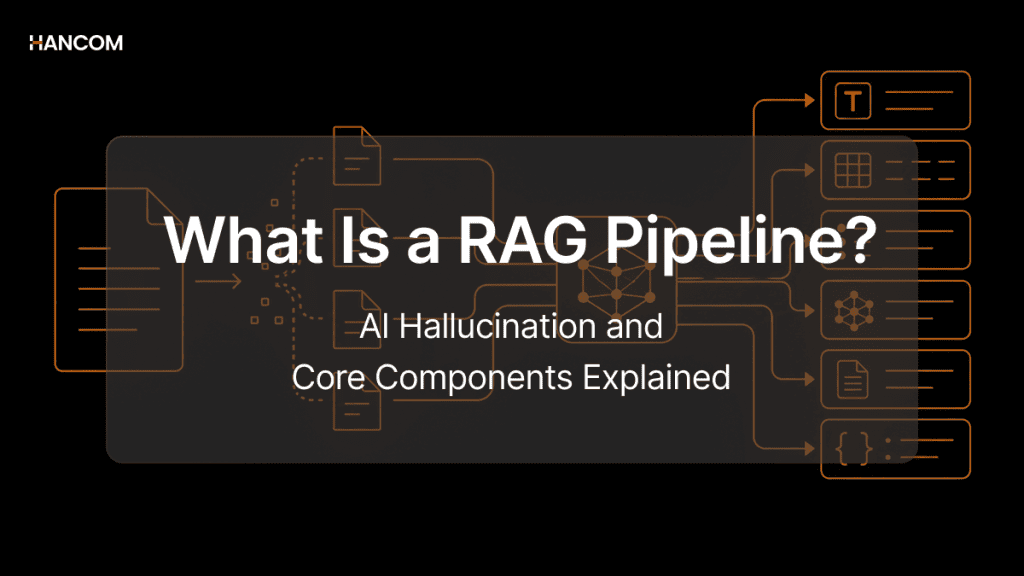
The method by which LLMs use external documents to generate answers is called RAG. The RAG process operates in the following sequence: document upload → parsing → chunking → embedding → vector DB storage → retrieval → answer generation.
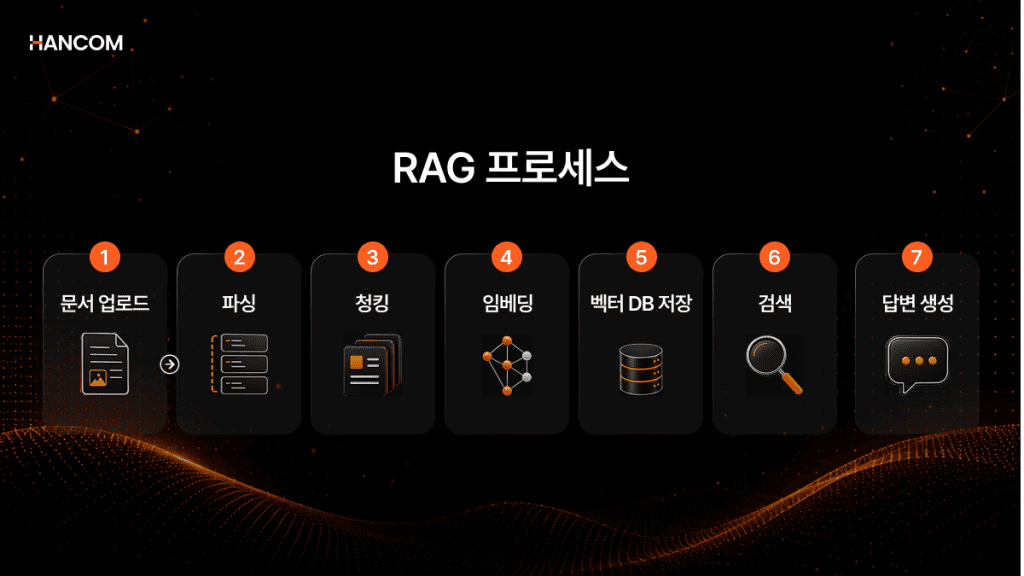
Only when tables, hierarchies, and reading order are properly organized during the parsing stage can relevant information be accurately retrieved during the retrieval stage. If structurally degraded data is used, context serving as evidence may be lost during the answer generation stage, even if it passes retrieval.
📚 Recommended Reading
[What is RAG? From Chunking and Embedding to Vector DB – Understanding Every Stage of the Pipeline]
Complex Document Structures Not Restored by Text Extraction Alone
In enterprise documents, critical information is often contained in tables, charts, and hierarchical structures rather than body text. However, simple text extraction causes this structural information to disappear, potentially preventing proper context transmission during RAG retrieval or answer generation stages.
Because simple text extraction methods read documents character-centrically, they cannot understand the structural relationships between titles, body text, and tables. Therefore, in documents containing multi-column layouts or complex tables, text order may become altered, or table data relationships may be damaged. If the hierarchical structure and section relationships within documents are not preserved, LLMs also struggle to accurately connect context.
Document Parsing: The First Stage of AI Preprocessing
Definition of Document Parsing
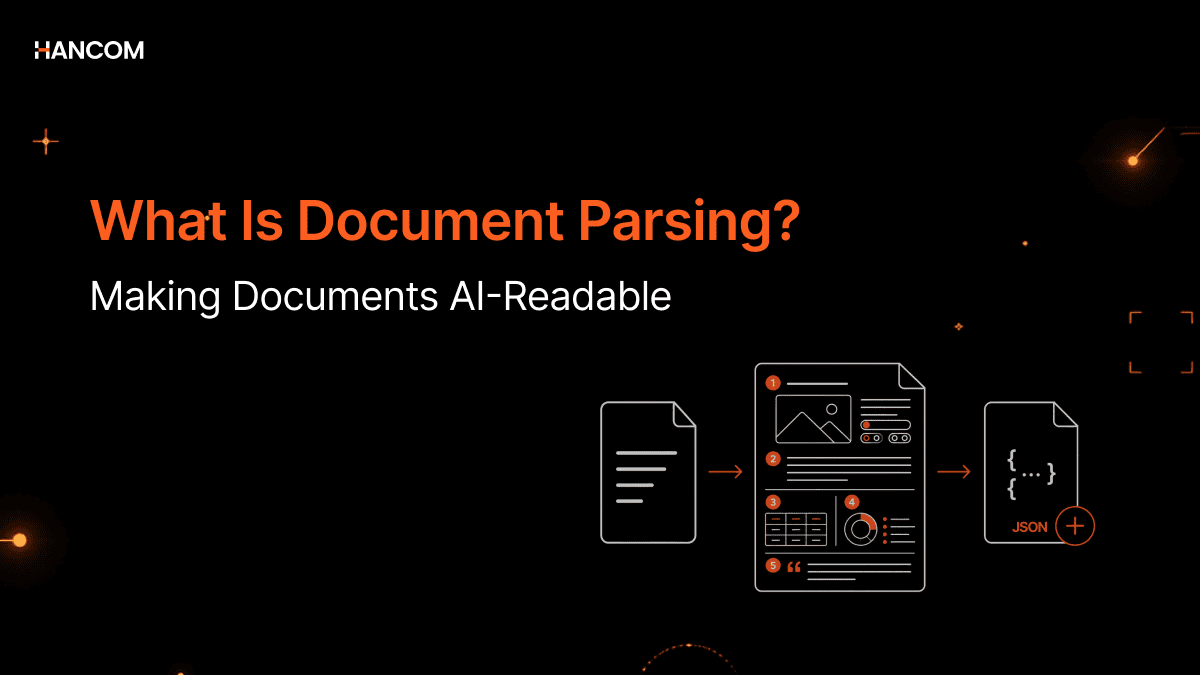
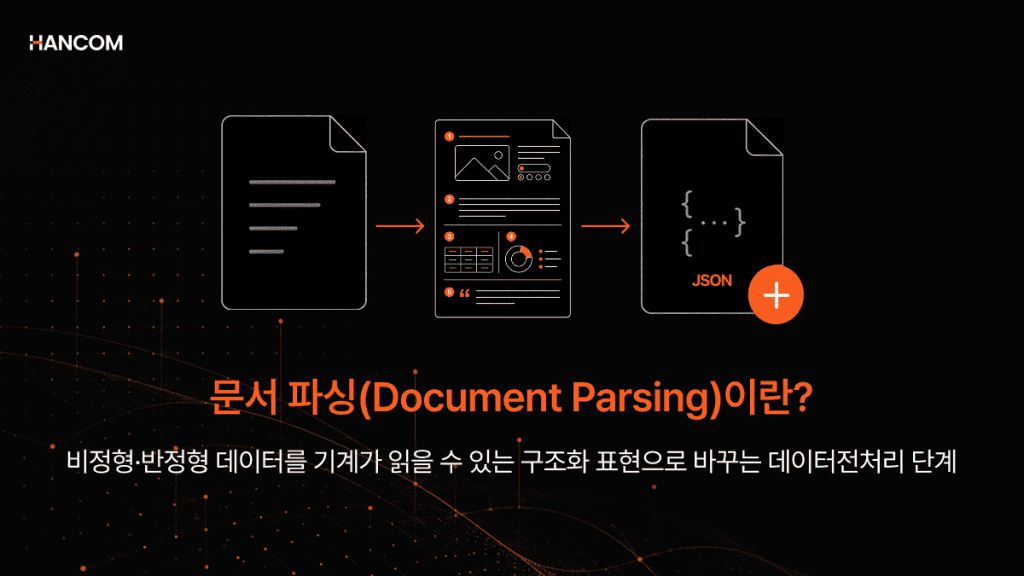
Document parsing is a preprocessing technology that analyzes not only text but also tables, images, and hierarchical structures from unstructured and semi-structured documents such as PDF, HWP, HWPX, and OOXML, converting them into structured data (JSON, HTML, Markdown) that AI can utilize.
Simply put, it is the process of organizing documents written for human reading into a form that AI can search and analyze. At this stage, not only text but also structural information such as tables, formulas, charts, and layouts must be analyzed together to accurately preserve document meaning.
If text extraction is the stage of retrieving characters, document parsing is the stage of organizing how those characters are connected in structure and meaning within the document. It separates paragraphs, tables, images, and merged cell structures, restores hierarchical relationships, and outputs them in structured formats such as JSON, HTML, and Markdown.
How Document Parsing Differs from Simple Text Extraction and OCR – Structure Preservation
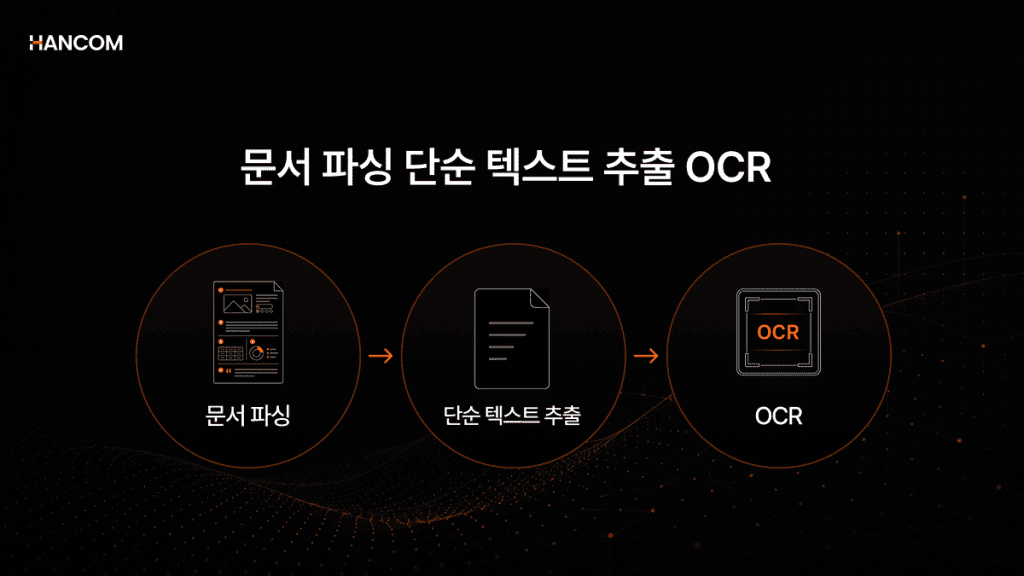
Document parsing is not simply extracting characters, but the process of analyzing how text is connected in structure and relationships within a document and converting it into structured data. In contrast, simple text extraction is a method of retrieving only character strings from digital documents, and OCR (Optical Character Recognition) is a technology that recognizes characters within images or scanned documents.
For example, document parsing distinguishes titles, body text, tables, images, and hierarchical structures together and organizes them into forms such as JSON, HTML, and Markdown, while simple text extraction and OCR are closer to the stage of securing the characters themselves.
While these three concepts are often used interchangeably, the critical difference is that if OCR and text extraction are stages of securing the characters themselves, document parsing organizes which structure those characters belong to and exports them as JSON or Markdown.
Comparison Table of Document Parsing, Text Extraction, and OCR Differences
| Category | Purpose | Recognition Target | Output Format | RAG Utilization |
| Document Parsing | Analyzes structure and hierarchy | Titles, tables, images, hierarchy | JSON, HTML, Markdown | Preserves context and structural information |
| Simple Text Extraction | Character string extraction | Text within digital documents | Plain text | Fast but weak structure preservation |
| OCR | Character recognition within images | Scanned documents, image PDFs | Text, location information | Secures source text |
Document parsing is not simply extracting characters, but the process of organizing titles, tables, and hierarchical structures together. Data organized in this structure can be utilized more stably in subsequent retrieval, analysis, and AI processing stages.
Why Parsing Methods Differ by Document Format
PDF, HWP, HWPX, and OOXML are all document files, but because their internal storage methods differ, they are difficult to process in the same way. Simple text extraction alone cannot reliably restore document structure, requiring different document parsing strategies for each format.
For example, PDF stores only coordinate-based information about where to place characters on screen, while HWP stores documents in a compressed binary structure. HWPX and OOXML contain multiple XML files within a ZIP archive, requiring both ZIP decompression and XML analysis processes together to read document structure.
Since storage structures differ by format, it is difficult to process all documents identically with a single parser.
PDF Format – Table and Multi-Column Layout Structure
PDF is a format stored centered on where characters should be displayed on screen rather than in what order they should be read. Therefore, even in documents that appear normal to humans, reading order may become altered during the text extraction stage.
Problems occur more frequently, especially in documents composed of multiple columns like newspapers or PDFs containing complex tables. It is common for numbers and item names within tables to misalign, or for sentences to be extracted in a different order than originally intended.
Therefore, for PDF documents, a document parsing process that analyzes layout and coordinate structure together is more important than simple text extraction.
HWP and HWPX – Why Parsing Korean Public Documents is Difficult

HWP is a compressed binary structure that stores body text, tables, and formatting information together. Because document content is not stored as simple text but compressed together with various structural information, it is difficult to reliably interpret paragraph, table, and formatting relationships through text extraction alone.
For example, even if something appears as a single table to humans, table and paragraph information are actually stored together. Therefore, simple text extraction alone may not restore table structure or paragraph hierarchy to their original form.
HWPX is an XML-based format with a more open structure than HWP, but body text, settings, and metadata are stored divided across multiple XML files. Therefore, HWPX also requires both ZIP decompression and XML structure analysis processes to reliably restore document meaning.
The reason the Ministry of the Interior and Safety is restricting HWP attachments in the central and local government On-nara system in 2026 and mandating HWPX use lies here. It is more advantageous for AI utilization because machines can more easily read and analyze document structure than with existing HWP.
In environments with high HWP usage such as public, education, and legal sectors, HWP and HWPX document parsing is becoming an important preprocessing stage for AI adoption.
OOXML – A general-purpose format with complex structure
OOXML is an open format widely used for office documents. While it appears to be a single document file on the surface, its actual internal structure consists of multiple XML documents, images, and configuration files compressed together within a ZIP archive.
However, even within the OOXML family, the internal structure and composition methods vary depending on the document type. Some are document-type, centered around paragraph flow and heading hierarchy, while others are spreadsheet-type, where cell-sheet relationships and table structures are crucial.
In slide-type documents, each slide references layouts and masters to determine the position and formatting of titles and body text. Simply put, the appearance of a single slide is a structure created together by three XML files: master, layout, and slide. All three files must be parsed together to extract text and objects within slides according to context, understanding where and how they are arranged.
Therefore, there are limitations to simple text extraction alone when preserving and extracting complex structures such as merged cells, multi-column headers, and slide layouts exactly as in the original. Even in actual document AI environments, document types are often analyzed in different ways.
In particular, merged cells, frequently used in spreadsheet-type documents, are one of the tricky problems during the parsing process. Because merged cell values are stored only in the first cell and remaining cells are treated as empty values, relationship information about which cells span which ranges may disappear during simple extraction. Without this relationship information when table-unit separation is needed during the RAG chunking stage, it is difficult to create meaningful chunks.
Image, Table, and Unstructured Document Parsing – Why Both OCR Preprocessing and Structure Restoration Are Necessary
Image formats such as PNG and JPG do not contain text information, so OCR processing is first required to utilize characters within documents. Additionally, when table data or charts are stored in image form, cell relationships and hierarchical structure must be separately restored even after OCR to reliably maintain context.
For example, while OCR alone can read numbers and characters, automatically understanding which numbers connect to which items is another problem. Therefore, for image-based documents, the process of analyzing layout and structure together after text extraction is important.
Impact of Document Structure Loss on Data Utilization
If connection information between table titles and cell data is damaged or hierarchical structure disappears during the document parsing stage, retrieval and answer accuracy may decline throughout the subsequent RAG pipeline. Even if values themselves are identified, it becomes difficult to know which items they describe, and content from different sections may become mixed, causing unrelated documents to be returned during retrieval or answer accuracy to decrease. Because parsing quality is the first stage of the RAG pipeline leading to chunking, embedding, vector DB storage, retrieval, and answer generation, it is important to have a document parsing solution that preserves original structure.
If you are concerned about document preprocessing burden and information loss problems when building a RAG pipeline, Hancom Data Loader can solve everything at once.
👉What is Hancom Data Loader? HWP, HWPX, PDF, and OOXML Document Parsing Solution
Pre-Implementation Checklist for Document Parsing Solutions
Document parsing solutions must review internal document types, security environment, and post-processing workflow together to secure both accuracy and operational stability after RAG adoption.
Supported Format Range
You should verify whether direct extraction from original files is supported for HWP, HWPX, PDF, OOXML, and images without conversion. If format support range is narrow, additional preprocessing may be required depending on internal document types.
HWP and HWPX Original Data Direct Extraction Support
Methods that parse after converting to PDF once may result in tables becoming images or paragraph hierarchy weakening. Especially when converting HWP and HWPX via PDF, original bullet points, indentation, and formatting information are easily lost. It is important to verify whether the method directly analyzes and extracts original files.
Table and Image Structure Preservation Level
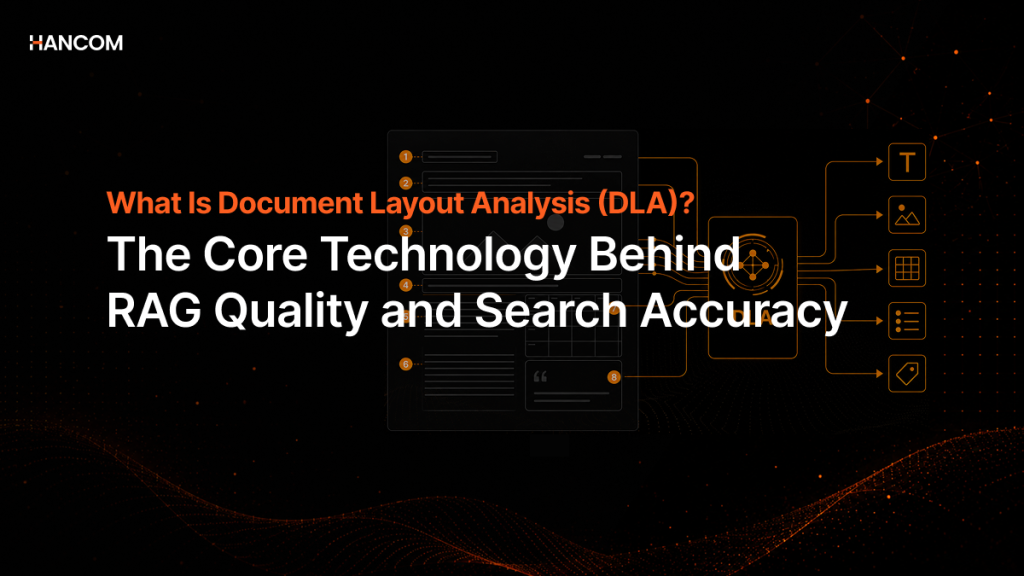
You can verify whether row and column relationships are restored for merged cells, tables without borders, and nested tables. Simply extracting cell content can lead to the loss of inter-cell relationship information, making it difficult to create meaningful units during the RAG chunking stage. It is advisable to check if DLA (Document Layout Analysis) and TSR (Table Structure Recognition) are applied together.
Security and Deployment Environment
Public, financial, legal, and medical environments typically operate closed networks, so on-premise support must be verified first. If a cloud-based SaaS is suitable for the environment, you can also review whether it is a method that can be quickly adopted without initial costs.
Post-Correction and Customization Capability
If there are documents where accuracy is difficult to secure through automatic extraction alone, you should verify whether tools are provided to review extraction results and train patterns. To build data specialized for customer formats, labeling, tagging functions, and reading order correction functions must be supported.
Applying Document Parsing Solutions in Practice with Hancom Data Loader

🖥️Hancom Data Loader
Document parsing solutions are difficult to judge based solely on simple text extraction functionality. You must verify together how well original document structure can be maintained, whether various formats can be processed stably, and whether operation is possible even in security environments such as on-premises.
Hancom Data Loader is the only solution in Korea that directly parses HWP and HWPX from original documents without PDF conversion, preserving structure and semantic information, while processing various formats including PDF, OOXML, and images.
It converts major document formats including HWP, HWPX, and PDF into structured data preserving table, hierarchy, and image structure, and supports the entire parsing process as a single pipeline from on-premises installation to post-correction through Data Loader Studio.
If you are concerned about document preprocessing burden and information loss problems when building a RAG pipeline, Hancom Data Loader can solve everything at once. Start reliable document preprocessing for agents right now.
💡 Test the document parsing solution immediately without installation. Upload your document to verify table, hierarchy, and layout structure at a glance.
👉 Try Hancom Data Loader with Your Document
👉 Inquire About Hancom Data Loader Implementation
Frequently Asked Questions About Document Parsing
Q1. Why do we need to do parsing separately for AI to understand documents?
AI must understand documents not as simple collections of characters but in terms of structure and context. However, if documents such as PDF, HWP, and HWPX are input directly, table, title, and hierarchical structures may be damaged, leading to a loss of semantic relationships. Document parsing is a preprocessing step that organizes title, body text, table, and image structures so AI can retrieve and answer while maintaining context.
Q2. How should HWP and HWPX files be converted to input into RAG?
HWP and HWPX are formats that store compression structure and paragraph/table hierarchy information together, making it difficult to maintain original structure through simple text extraction alone. In particular, table, bullet point, and paragraph hierarchy information is often lost during general conversion processes. To utilize in RAG, a process is required to directly parse original documents and convert them into structured data such as JSON, HTML, and Markdown.
Q3. Why is table data lost when converting documents to PDF?
PDF is a format that stores where characters are placed on screen, centered on coordinates, rather than their meaning. Therefore, simple text extraction alone can easily damage table row and column relationships or reading order. Even if numbers themselves are extracted, if relationship information connecting them to specific items disappears, AI may struggle to accurately understand the context.
References
1. arXiv, “Document Parsing Unveiled: Techniques, Challenges, and Prospects for Structured Information Extraction“, 2024
2. arXiv, “PDF Parsing – Word order preservation and Table extraction“, 2024
3. Google Cloud, “Agent Search Document Parsing and Chunking“, 2026
4. AWS, “What is Retrieval-Augmented Generation (RAG)?“, 2026
5. Hancom Tech, “Hangeul Document File Format: Parsing HWPX Format Through Python (1)“, 2024
6. Hancom Tech, “Hangeul Document File Format: Parsing HWP Format Through Python (2)“, 2024
7. ZDNet Korea, “‘HWPX’ Mandatory for Public Documents Starting the 18th… Transition to AI-Friendly Administrative System“, 2026